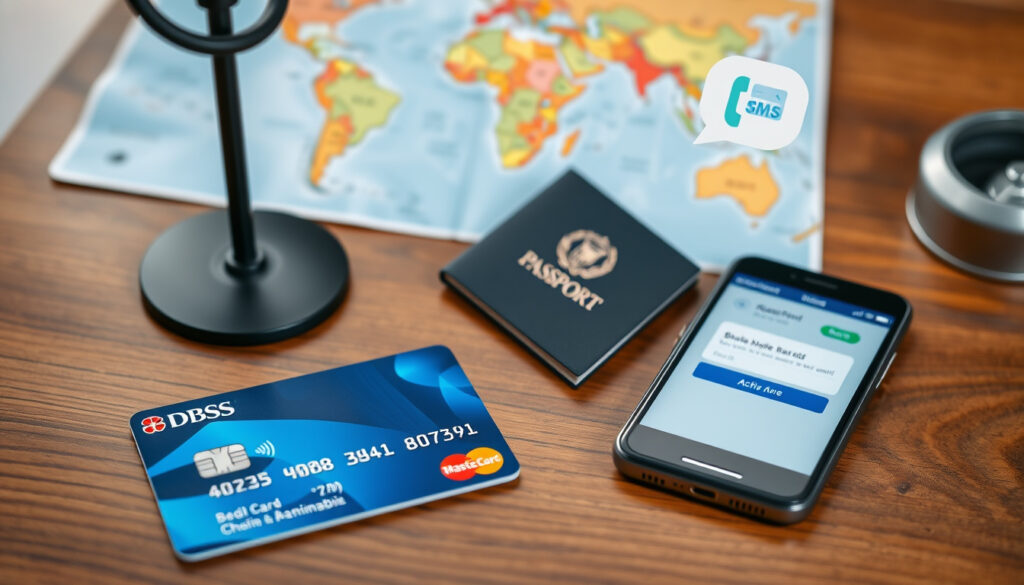
How to Activate DBS Card for Overseas Use (App, SMS, Phone)
Few things are as frustrating as landing abroad only to find your bank card doesn’t work. This guide walks you through activating your DBS card for overseas use via the Digibank app, SMS, phone, and online banking, covering the separate magnetic stripe toggle that most travellers miss.
Overseas activation settings: Two distinct toggles (contactless/chip + magnetic stripe) ·
Activation channels: Digibank app, online, SMS, phone ·
Card types: Debit and credit both require separate activation ·
Common mistake: Many users miss the magnetic stripe setting, causing overseas declines
Quick snapshot
- Log in with User ID and password (DBS Singapore (card services))
- Go to Card Services (DBS Singapore (card services))
- Toggle Overseas contactless/chip ON (DBS Singapore (card services))
- Toggle Magnetic stripe ON (DBS Singapore (card services))
- Send a specific SMS to 77767 (DBS Singapore (SMS magstripe guide))
- Only for magnetic stripe setting (DBS Singapore (SMS magstripe guide))
- Requires registered mobile number (DBS Singapore (SMS magstripe guide))
- Call DBS hotline 1800 111 1111 (DBS Singapore (travel guide))
- Provide card details and OTP (DBS Singapore (travel guide))
- Agent can enable overseas settings (DBS Singapore (travel guide))
- Log in to DBS Digibank online (DBS Singapore (card services))
- Navigate to Card Services (DBS Singapore (card services))
- Enable overseas settings (DBS Singapore (card services))
Three core settings, two separate toggles — the most overlooked detail is that chip/contactless and magnetic stripe are enabled independently.
| Label | Value |
|---|---|
| Official source | DBS Support page: Enable/Disable Card for Overseas Use (DBS Singapore (card services)) |
| App required | DBS Digibank app for iOS and Android |
| SMS activation | Available for magnetic stripe only (DBS Singapore (SMS magstripe)) |
| Phone activation | DBS hotline: 1800 111 1111 (Singapore) (DBS Singapore (travel guide)) |
| SMS short code | 77767 (DBS Singapore) |
| SMS format (enable) | Enable overseas [last 4 digits of card] (DBS Singapore) |
| Auto-activation feature | Digibank can auto-detect travel via phone location (DBS Singapore (travel checklist)) |
| Digibank path (old) | More → Payment Controls → Overseas magnetic stripe (DBS Singapore) |
Can I activate my DBS card online?
- Yes, online activation is available through DBS Digibank web portal (DBS Singapore (official))
- You need your User ID, password, and digital token
- The portal lets you toggle chip/contactless and magnetic stripe separately
Steps to activate via DBS Digibank online
Log in to DBS Digibank (official online banking portal). Navigate to Card Services under the main menu. Select the card you want to enable. Under Overseas contactless and card chip, toggle the switch to ON. Then, under Allow Card’s Magnetic Stripe for Overseas use, toggle ON separately. Confirm with your digital token.
Travellers who only enable chip/contactless will hit a wall at merchants that still swipe. That second toggle is the difference between a working card and a declined one.
The pattern: online activation gives full control, but the two toggles are both essential.
Can I activate my card over the phone?
- Yes, DBS allows phone activation for overseas use (DBS Singapore (travel guide))
- Call 1800 111 1111 (within Singapore) or +65 6327 2265 (from overseas)
- Have your card number, NRIC, and OTP-ready mobile handy
What information you need ready
When you call, the agent will authenticate you with your card details and a one-time password sent to your registered mobile. You can then request to enable overseas contactless/chip, magnetic stripe, or both. Phone activation may be limited to standard settings; complex date-specific controls are better managed in the app.
Phone activation doesn’t let you set a specific end date — the setting stays on until you manually disable it, so remember to turn it off after your trip.
The implication: phone activation is a fallback, but lacks the date-control precision of the app.
Why can’t my DBS card be verified at an ATM?
- ATM verification failure often happens when the magnetic stripe is not enabled for overseas use (DBS iBanking Help)
- Even if the chip works, the card must have overseas activation switched on
- Incorrect PIN or insufficient funds are separate common causes
Chip vs magnetic stripe issues
Many travellers assume that because the chip works at a retail terminal, the card is fully activated. But overseas ATMs often rely on the magnetic stripe — especially in countries where chip readers are less common. DBS requires you to enable the magnetic stripe separately, even if chip/contactless is already on.
Insufficient balance or card not activated for overseas
Aside from activation status, the ATM may reject transactions due to insufficient funds, a daily limit, or a blocked card. Always check your available balance and overseas transaction limits in the Digibank app before inserting the card.
The pattern: three failure modes — stripe not enabled, wrong PIN, or low balance. The most common fix is flipping that magnetic stripe toggle.
How do I activate overseas use for my DBS card in the app?
- Log in to the DBS Digibank app on your smartphone (DBS Singapore (official))
- Tap More (bottom menu), then select Card Services
- Choose the card you want to configure
- Toggle Overseas contactless and card chip to ON
- Toggle Allow Card’s Magnetic Stripe for Overseas use to ON
- Optionally, set a start and end date (DDMMYYYY) for magnetic stripe access
- Confirm using your digital token or SMS OTP
The act: four taps, two toggles, one confirmation. The result: full overseas readiness in under a minute.
The app gives you the most control — including the date-specific magnetic stripe feature that SMS and phone can’t match. Setting an end date automatically deactivates the stripe after you return home, reducing fraud risk.
The takeaway: app activation is the recommended method for full control and security.
Can I activate my ATM card without going to the bank?
- Yes, all major activation channels are remote: app, online, SMS, and phone (DBS Singapore (travel guide))
- SMS activation is available only for magnetic stripe with a start/end date
- In rare cases, a newly issued card may require a branch visit
Remote activation options: app, online, SMS, phone
Each channel covers different parts of the activation puzzle:
- App: Full control over chip/contactless and magnetic stripe, including date-range settings (DBS Singapore (card services))
- Online: Same as app from a desktop browser
- SMS: Magnetic stripe only, with start/end dates. Send Enable overseas [last 4 digits] [start DDMMYYYY] [end DDMMYYYY] to 77767 (DBS Singapore (SMS))
- Phone: Agent-assisted, covers both toggles but no date-specific expiry
What to do if none work
If you’ve tried all remote methods and the card still won’t activate, the issue may be a card that hasn’t been personally collected or a block on the account. Contact DBS customer service at 1800 111 1111 for escalation. In very specific cases — such as a card that was never activated at all — you may be asked to visit a branch in Singapore with your NRIC.
The trade-off: convenience of remote activation versus the rare need for in-person verification. For 99% of users, the app solves everything.
Step-by-Step Activation Checklist
- Download DBS Digibank app from App Store or Google Play
- Log in using your User ID, PIN, and digital token
- Navigate to Card Services
- Enable chip/contactless for overseas use
- Enable magnetic stripe for overseas use (set end date if desired)
- Test the card by checking the status in Card Services before your trip
- Disable magnetic stripe after returning home (app or SMS)
The checklist ensures no step is missed — especially the magnetic stripe toggle.
Clarity section
Confirmed facts
- DBS requires separate activation for chip/contactless and magnetic stripe (DBS Singapore)
- Activation can be done via app, online, SMS, or phone (DBS Singapore (travel guide))
- Official DBS pages provide step-by-step instructions
- SMS short code for magnetic stripe is 77767 (DBS Singapore (SMS))
- Auto-activation using phone location is available via DBS Lifestyle app (DBS Singapore (travel checklist))
What’s unclear
- Whether all card types (credit vs debit) have identical activation steps — different card issuers may have slightly different toggles
- If SMS activation works for cards issued to non-Singapore residents
- The exact SMS format for activation with date range is not prominently listed on the main support page
- Whether the Digibank app activation steps differ between iOS and Android devices
- Whether card activation via phone is available 24/7
The uncertainty highlights areas where users may need to contact DBS directly for clarification.
Quotes from DBS support
“Select the Card you wish to enable/disable… toggle the Switch On/Off under Overseas contactless and card chip.”
DBS Singapore (support page)
DBS also notes on their SMS guide: “Login to DBS Digibank app… Select Allow Card’s Magnetic Stripe for Overseas use option.” (DBS Singapore SMS magstripe page)
Two voices, one message: the magnetic stripe setting is a separate, deliberate step that many travellers skip.
Summary
The core of DBS overseas card activation is simple but requires attention to two separate toggles. For the traveller heading from Singapore to Europe, North America, or anywhere magnetic stripe readers still thrive, the decision is clear: enable both chip/contactless and magnetic stripe through the Digibank app before departure, or risk finding your card useless at a hotel check-in. Set an end date, disable it on return, and you’ve covered both convenience and security.
Related reading: How to Waive DBS Annual Fee: Step-by-Step Guide (2025) · Flights to Bali from Singapore: Duration, Airlines, Health Tips
dbs.com.sg, dbs.com.sg, dbs.com.sg, dbs.com.sg, dbs.com.sg, dbs.com.sg, dbs.bank.in, singsaver.com.sg, dbs.com.sg, dbs.com.sg, posb.com.sg
Frequently asked questions
How long does it take for DBS card activation to take effect?
Once you confirm the change in the app or SMS, the setting takes effect almost immediately. DBS states that after verification, the overseas magnetic stripe setting is active for the chosen period (DBS iBanking Help). Allow a few minutes for the system to propagate.
Will my DBS card work overseas immediately after activation?
Yes, once the overseas settings are enabled, your card should work at overseas merchants and ATMs that accept Visa/Mastercard (depending on your card type). However, the first transaction may be subject to a brief delay while the international system updates.
Do I need to activate both chip and magnetic stripe separately?
Yes. DBS separates the two into distinct toggles. Enabling only chip/contactless will leave the magnetic stripe blocked, causing declines at terminals that swipe (DBS Singapore).
Can I activate my DBS card for overseas use while traveling?
Yes, as long as you have internet access (app/online) or cellular signal (SMS). You can enable overseas settings from abroad. Note that SMS to 77767 may incur charges based on your roaming plan.
Is there a fee to activate my DBS card for overseas use?
No, DBS does not charge a fee for enabling or disabling overseas card functions. Standard transaction fees (foreign exchange spread, possible ATM charges) still apply.
What should I do if my DBS card still doesn’t work overseas after activation?
First, verify in the app that both overseas settings are enabled. Next, check your daily overseas transaction limit and available balance. If everything looks correct, contact DBS hotline at +65 6327 2265 (overseas) for immediate assistance. The issue might be a merchant-side restriction.
Can I disable overseas use after returning to Singapore?
Yes, simply toggle off the overseas magnetic stripe and chip/contactless settings in the Digibank app, send Disable overseas [last 4 digits] to 77767, or call the hotline (DBS Singapore).
More related posts
 Asia Championship Badminton 2025: Schedule & Tickets
 Tamil Nadu Election 2026 Date: Schedule & Key Dates
 Best Scenic Train Rides: Top Routes, Costs, and Tips
 Singapore Median Household Income 2025: Data & Percentiles
 How to Merge PDF Files: Free vs Paid Methods
 iPhone 16e vs iPhone 15: Full Comparison & Differences
 Online Gambling Win: PGLUCKY88 Guide and Trusted Slot Sites
 Starbucks 1 for 1 – Complete Guide to Singapore Deals