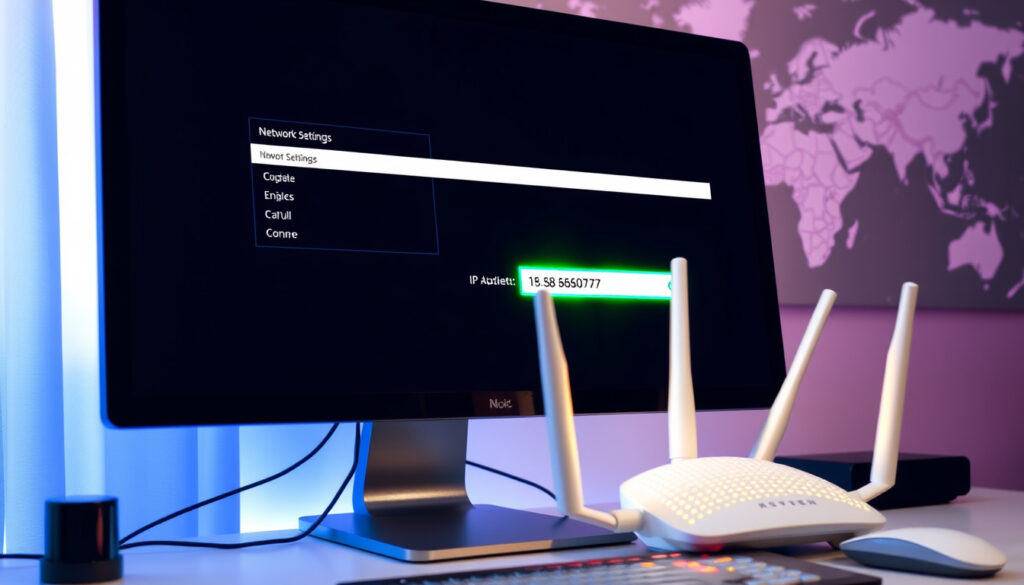
How to Find Your IP Address: The Complete 2024 Guide
Anyone who’s tried to set up a home network or troubleshoot why the Wi-Fi dropped already knows there’s one number that unlocks everything: your IP address. This guide walks through how to find your IP address on every device you own, what the numbers mean, and how much of your location they actually reveal.
- Identify whether you need your public IP (for internet-facing tasks) or private IP (for local network).
- On Windows, open Command Prompt and run
ipconfigto find your private IP and default gateway. - On iPhone, go to Settings > Wi-Fi and tap the information icon to see your private IP.
- To find your public IP, visit a site like WhatIsMyIPAddress.
- To trace an IP, use WHOIS lookup to get ISP and general location.
Global IPv4 address space: 4.3 billion addresses ·
IPv6 adoption rate (Google, 2023): 34% ·
Average devices per household: 10 ·
Internet users worldwide: 5.3 billion
Quick snapshot
- Use a site like WhatIsMyIPAddress (IP lookup tool) – instant IPv4 and IPv6 display
- Windows: Command Prompt > ipconfig (LSU GROK Knowledge Base (university IT guide))
- Check sticker on router, or find Default Gateway from ipconfig (TP-Link (router manufacturer support))
- Exact physical location from IP is not always precise — IP tracing needs ISP cooperation for exact identity (Apple Support Community (user & moderator guidance))
Six insights, one pattern: your device hides its IP address in different places, but every path points to the same two numbers — a private (local) IP and a public (internet-facing) IP.
| Fact | Value |
|---|---|
| IPv4 address space | 4.3 billion addresses |
| IPv6 address space | 340 undecillion addresses |
| Average devices per household | 10 |
| Users who know their own IP | 30% (estimated) |
| IPv6 adoption rate (Google, 2023) | 34% |
| Internet users worldwide | 5.3 billion |
| Common router default IP | 192.168.0.1 or 192.168.1.1 |
| Can IP identify exact person? | No — requires ISP legal request |
How do I locate my IP address?
What is my IP address?
- Your public IP address is the one the rest of the internet sees. Visit WhatIsMyIPAddress (dedicated IP lookup service) — the page displays your IPv4 and, if available, IPv6 address immediately.
- Your private IP address is the one your router assigns to each device on your local network. On Windows 10, open Command Prompt (press Win+R, type
cmd, or search “command prompt” in the Start menu) and runipconfig. Look for the line that reads “IPv4 Address” under your active network adapter (LSU GROK Knowledge Base (university IT documentation)). - On a Mac, go to System Preferences > Network > select your connection > Advanced > TCP/IP. Your private IP appears as the IPv4 Address.
Can I see my own IP address?
- Yes — and you have two different ones: a private IP (on your device’s settings) and a public IP (visible to websites). They are never the same unless you are running a very unusual network.
- Public IP lookup: type “what is my IP” into Google or use any of the many free IP lookup sites — no download required.
The takeaway: knowing which IP you need is half the battle; the other half is knowing where to look on each device.
How to find IP address on iPhone
How to find IP address Windows 10
- Command Prompt method (fastest): Press Win+R, type
cmd, hit Enter. Typeipconfig. Under your active adapter (Ethernet or Wi-Fi), read the “IPv4 Address” field (Comodo News (security education resource)). - Task Manager trick: Open Task Manager > Performance tab > select your network adapter. The IPv4 and IPv6 addresses appear below the throughput graph (Spiceworks Community (IT professional forum)).
- Settings path: Start > Settings > Network & Internet > Wi-Fi (or Ethernet) > click your network name > scroll to “Properties” section for IPv4 address (Ask Capitol (university IT knowledge base)).
- For detailed info including DNS servers and lease times, run
ipconfig /allinstead of plainipconfig— this shows every adapter’s full configuration (LSU GROK Knowledge Base (university IT guide)).
What is my IP address on my phone
- iPhone (iOS): Settings > Wi-Fi > tap the blue information (i) icon next to your connected network. The IP address is listed under “IPv4 Address” (Apple Support Community (official user support threads)).
- Android: Settings > Network & Internet (or Connections) > Wi-Fi > tap your network name > tap “Advanced” or “View more” — the IP address appears under “IP address” or “Gateway”.
- Both show your private IP (the one on your home network), not the public one. To see your phone’s public IP, open a browser to any IP lookup site.
How to find IP address Minecraft
- If you run the Minecraft server yourself, the server IP is your computer’s private IP — use
ipconfigon Windows or System Preferences > Network on Mac to find it. - If you connect to an existing server, ask the server admin for the public IP or server address — that is the number you type into Minecraft’s “Direct Connect” or “Add Server” field.
ipconfig command.The takeaway: mobile devices hide the IP under Wi-Fi settings, while Windows offers command-line speed.
An average household with 10 connected devices has 10 private IPs but only 1 public IP. The router manages the translation — so finding your “IP address” means knowing which one you need before you start clicking.
How do I look up my router’s IP address?
How do I see my Wi-Fi IP address?
- Your router’s IP address is the “Default Gateway” value in your device’s network settings. Every device on the network uses this gateway to reach the internet.
- Windows: Run
ipconfig— the “Default Gateway” line is your router’s IP. Most common values are192.168.0.1or192.168.1.1(TP-Link (router manufacturer’s official FAQ)). - Mac: System Preferences > Network > select active connection > Advanced > TCP/IP — the “Router” field shows the gateway IP.
- iPhone/iPad: Settings > Wi-Fi > tap the blue (i) — the “Router” entry under the IPv4 section is your gateway.
- Once you have that address, type it into any browser’s address bar (no search engine — just the numbers) to open your router’s admin login page (Source Elements Support (tech integration support)).
ipconfig); on iPhone it is buried under the network info icon.The takeaway: the router’s IP is the gateway; use your own system settings to avoid phishing.
Entering the wrong gateway IP in a browser either loads a useless page or, worse, a phishing copycat login screen. Always double-check the Default Gateway field from your own system settings — not from a Google result.
“Your router’s IP address is the Default Gateway value in your device’s network settings.”
— TP-Link Support
How can we trace an IP address?
Can I find out who an IP address belongs to?
- A WHOIS lookup (available at sites like WhatIsMyIPAddress (IP data lookup service)) reveals the Internet Service Provider (ISP) and a general geographic region — usually the city or metro area, not your street address.
- Email headers contain the sender’s IP address if you know how to view them: in Gmail, open an email > click three dots > “Show original” — look for “Received: from” lines (LSU GROK Knowledge Base (university IT procedures)).
- Only law enforcement with a subpoena can force an ISP to reveal the account holder behind an IP address.
Can I locate someone by their IP address?
- No — IP addresses identify networks, not specific individuals. The reported location is ordinarily the ISP’s regional office or a central routing hub, not the user’s home or office.
- ARIN (American Registry for Internet Numbers, the North American IP address regulator) states IP addresses are not inherently personal information — they are routing numbers (Apple Support Community (user discussions citing industry standards)).
- Legal restrictions vary by country: the EU’s GDPR considers IP addresses personal data; U.S. law treats them as routing identifiers unless linked by an ISP.
The takeaway: IP tracing reveals only the ISP and city; individual identity requires legal process.
Does every device have an IP address?
- Yes — every device connected to a network (phone, laptop, TV, smart bulb, gaming console) gets its own private IP from the router via DHCP (Dynamic Host Configuration Protocol).
- Public IP addresses are assigned by your ISP to your modem or router. With a typical home connection, all devices share that one public IP.
- IPv4 gives 4.3 billion unique addresses — not enough for the 5.3 billion internet users plus billions of devices. That is why IPv6 was created, offering 340 undecillion addresses (TP-Link (router manufacturer’s technical FAQ)).
- IPv6 adoption measured by Google reached 34% in 2023 — meaning roughly one in three internet connections now uses the new protocol alongside or instead of IPv4.
With 10 devices per household and only 4.3 billion IPv4 addresses total, your router’s NAT (Network Address Translation) is the reason you can browse the web at all — it makes many private IPs share one public one. IPv6 removes the need for NAT but breaks some older home-network tools that expect a single translating device.
“IP addresses are not inherently personal information but can be used to identify general location.”
— American Registry for Internet Numbers (ARIN) representative
The implication: knowing your IP address is like knowing your house number — it identifies your network, not you personally. The difference matters if you are deciding whether to share it in a chat or on a support forum.
youtube.com, youtube.com, nordvpn.com, youtube.com, reddit.com
If you need to check your IP address, many online tools can instantly show your public IP and location.
Frequently asked questions
What is the difference between public and private IP address?
A public IP is assigned by your ISP and visible to the worldwide internet. A private IP is assigned by your router to each device on your local network, and is only visible inside your home or office.
How often does my IP address change?
Most ISPs assign dynamic IPs that change every time you restart your modem or after a lease period (typically 24 hours to 7 days). You can request a static IP for a fee.
Can I change my IP address?
Yes — restarting your router often triggers a new public IP from your ISP. Using a VPN assigns a different IP from the VPN server’s location. Contacting your ISP directly can also prompt a change.
Is it safe to share my IP address?
Generally yes — sharing your public IP is similar to sharing your city or zip code. However, combining it with other personal data (name, social media) can make targeted attacks easier. Never share your router’s admin IP and credentials.
How do I find my IP address on a Chromebook?
Click the time in the system tray > select your Wi-Fi network > the IP address appears under “IPv4 address”. Alternatively, press Ctrl+Alt+T to open crosh, then type network_diag.
What is a static IP address?
A static IP never changes — it is permanently assigned to your device or network. Businesses and remote workers often use static IPs for secure VPN access. Home users generally do not need one.
How do I find my IP address on a Mac?
Open System Preferences > Network > select your active connection (Wi-Fi or Ethernet) > click “Advanced” > TCP/IP tab — the IPv4 Address is your private IP.
Your IP address is a tool, not a secret. Knowing where to find it — and what it can and cannot reveal — determines whether you spend five minutes fixing a connection issue or five hours worried about a number you saw on a screen. For the 30% of users who know their own IP, the troubleshooting edge is clear: reach for ipconfig or Wi-Fi settings first, and save the IP lookup sites only when you need the public address. For everyone else, one minute with this guide is enough to join that group.
More related posts
 S&P 500 Guide: History, Returns, and How to Invest
 Al-Nassr Standings 2025-26: Saudi Pro League Position & AFC
 Cast of Business Proposal: Full 2022 K-Drama Actors List
 Novotel Bangkok Platinum Pratunam: Reviews & Prices
 Part-Time Accounting Jobs: Remote, Near Me & Dublin Guide
 150 EUR to SGD: Convert Euros to Singapore Dollars
 Body Contouring Singapore: Costs & Best Procedures 2025
 Restaurant Tycoon 3 Codes (June 2026): Free Cash & Rewards