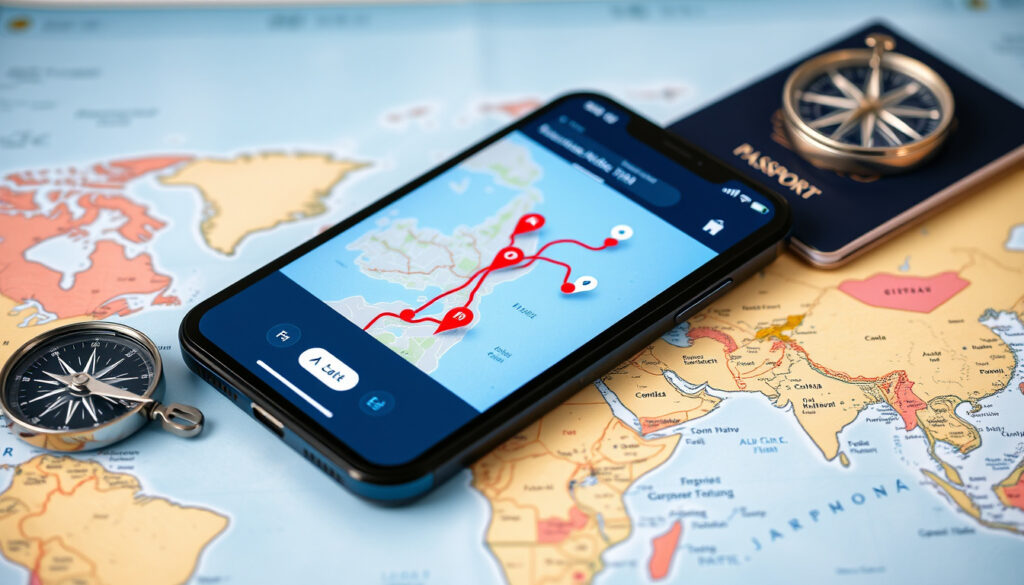
Best Travel Apps for Planning: Route Planners & AI Tools
Anyone who’s spent an hour juggling four browser tabs, a Google Doc, and a group chat to plan a weekend trip already knows there has to be a better way. In 2026, the app landscape has split into two camps: traditional route planners like Waze and Google Maps, and AI-driven assistants like ChatGPT and MyRouteOnline. Over 40 apps now compete for your itinerary, and the right choice depends entirely on how you travel.
Apps featured in 2026 roundup: 40+ ·
Most mentioned app in Reddit discussions: Google Travel ·
Route planners compared: Waze, Google Maps, ChatGPT
Quick snapshot
- Wanderlog offers a free version with itinerary building and group sharing (Wanderlog (official product blog))
- TripIt scans email receipts to auto-build itineraries (Blue Planit (travel tech comparison site))
- Google Maps provides real-time traffic data across 220+ countries (Google Maps (official store page))
- Which app is #1 varies by user group and travel style — no consensus exists
- Whether Waze is better than Google Maps depends on region, driving habits, and preferences
- AI route planning reliability for multi-day trips remains unverified in large-scale testing
- 2026: ChatGPT + MyRouteOnline introduced AI-driven route generation (MyRouteOnline (AI route planner platform))
- 2026: Over 40 apps featured in major travel roundups (The Planet D (travel authority blog))
- AI assistants will likely integrate deeper with mapping APIs for real-time adjustments
- Free tier limitations may push more users toward Wanderlog Pro or TripIt Pro
- Group travel collaboration features will become a key differentiator
The shift from solitary navigation apps to collaborative, AI-assisted planners means that the best travel app isn’t the one with the most features — it’s the one that matches your trip’s social and logistical complexity. A solo business traveler faces a different choice than a family planning a road trip.
What is the best app for travel planning?
Three apps consistently top the conversation in 2026, each built for a different starting point: building a trip from nothing, letting existing bookings organize themselves, or using a familiar search hub.
Wanderlog: the free all-in-one planner
Wanderlog is built for the traveler who wants to start with a blank map and fill it in. Its free tier includes a color-coded day-by-day itinerary builder, budgeting tools, trip sharing for group collaboration, document storage, flight tracking, and checklists. According to Wanderlog (official product blog), the free version covers itinerary building, a color-coded map, budgeting, trip sharing, recommendations, document organization, flight tracking, checklists, and hotel/flight import. The Pro version ($39.99 per year) adds offline access, route optimization, and unlimited AI assistant use.
Multiple review sites agree on its strength. The Planet D (travel authority blog) ranks Wanderlog as the best collaborative trip-planning app for 2026, noting it is “best for building day-by-day itineraries and planning with other people.” Blue Planit (travel tech comparison site) says Wanderlog is stronger than TripIt for day-by-day planning, mapping, route optimization, and group collaboration.
Wanderlog does not automatically import reservations from TripIt, so frequent flyers who switch must manually recreate, per Tripstone (travel comparison blog).
Google Travel: a familiar hub for itineraries
Google Travel (accessible via travel.google) acts as a centralized dashboard for flights, hotels, and saved places tied to a Google account. On a Reddit r/TravelHacks thread (community travel discussion), users commonly refer to using the Google Travel app to manage itineraries, though it largely relies on Google Maps data rather than offering standalone booking tools. Its main advantage is zero learning curve for anyone already using Gmail or Google Maps.
TripIt: automated itinerary from email
TripIt takes a hands-off approach. Forward booking confirmations to plans@tripit.com, and the app parses them into a unified timeline with flight times, hotel addresses, and car rental details. Blue Planit (travel tech comparison site) describes it as stronger than Wanderlog for automatic reservation imports and travel-day reminders. Its free plan is generous, while TripIt Pro ($49 per year) adds real-time flight alerts and seat-tracker tools. Sue Where Why What (personal travel blog) calls it “the ultimate trip planning website” for its email scanning ability.
The implication: Your starting point determines your best app. If you already have bookings scattered across email, TripIt collects them instantly. If you’re dreaming up a trip from scratch, Wanderlog gives you the canvas.
What are the top five travel apps?
No single list dominates, but five names appear repeatedly across 2026 roundups and user discussions, each serving a distinct travel need.
Five apps, one pattern: the list splits between itinerary builders, navigation stalwarts, and AI newcomers.
| App | Primary use | Best for |
|---|---|---|
| Wanderlog | Itinerary planning | Group trips, day-by-day building, free tier |
| TripIt | Booking aggregation | Frequent flyers, automatic email scanning |
| Google Maps | Navigation | Real-time traffic, offline maps, integration with Google ecosystem |
| Roadtrippers | Road trip routing | Finding roadside attractions, scenic routes |
| ChatGPT + MyRouteOnline | AI route generation | Automated multi-stop route suggestions |
The Planet D (travel authority blog) lists Wanderlog, TripIt, Google Maps, and Roadtrippers among its top picks. Amanda Wanders (travel blog) echoes Google Maps as a navigation staple and Roadtrippers for its road trip angle. MyRouteOnline (AI route planner platform) describes ChatGPT as a viable route planning partner when combined with its platform.
The trade-off: No app does everything. Wanderlog and TripIt overlap on itinerary features but diverge on philosophy — build from scratch versus import automatically. Google Maps wins on navigation but loses on trip design. ChatGPT offers speed but sacrifices local knowledge.
Is Waze still better than Google Maps?
This debate remains unresolved in 2026. Both apps belong to Google, but their design priorities differ sharply.
Real-time traffic and alerts
Waze’s community-driven alerts for police, hazards, and speed traps remain its signature. Google Maps now incorporates many of these features via Waze data, but Waze’s interface still prioritizes driver-reported events over route aesthetics. For short commutes where a five-minute shortcut matters, Waze users often report faster arrival times.
Navigation preference by region
User preference varies significantly. On Reddit discussions, some drivers swear by Waze for daily commutes, while Google Maps dominates for longer trips because of its lane guidance and transit integration. Regional factors also play a role: Waze’s real-time community is strongest in urban areas, while Google Maps offers better rural coverage and offline support.
Integration with trip planning
Google Maps integrates deeply with Google Travel, hotel bookings, and shared location lists. Waze remains a standalone driving app with limited itinerary features. For trip planners, Google Maps offers the better ecosystem — Waze wins on real-time driving feedback alone.
What this means: Waze is superior when your only goal is arriving a few minutes faster. Google Maps is the better companion when you need the journey to connect to a broader travel plan.
Can ChatGPT do route planning?
The short answer is yes — with the right companion tool. ChatGPT excels at generating human-readable itineraries from natural language prompts, but it does not run its own mapping engine.
Using ChatGPT with MyRouteOnline
MyRouteOnline (AI route planner platform) publishes a workflow where ChatGPT outputs a list of stops and MyRouteOnline converts them into an optimized driving route with turn-by-turn directions. The combination works well for multi-stop road trips where a user wants to describe “I want to drive from Denver to San Francisco stopping at national parks” and receive a polished route.
Limitations of AI route planning
ChatGPT lacks access to live traffic data, road closures, or real-time re-routing. It cannot account for seasonal conditions — a route that works in July might be impassable in January. As common knowledge among travel planners confirms, AI route suggestions lack the nuance of human local knowledge.
Other AI tools for trip planning
Wanderlog’s Pro tier includes an AI assistant that can suggest attractions and build day plans. TripIt recently introduced AI-based itinerary summaries for Pro users. Still, none of these tools replace a human’s ability to factor in a missed turn or a spontaneous detour.
AI tools reduce planning time from hours to minutes, but they offload decision-making to models that cannot taste the food or feel the weather. The faster the route comes together, the less room there is for happy accidents.
The pattern: AI route planning is a productivity gain for structured trips, not a replacement for human judgment. Use it to generate a first draft, then sanity-check with Google Maps or local knowledge.
What is the best way to organize your travel itinerary?
- Assess your travel style: Are you booking across multiple sites? Use TripIt. Are you planning from scratch with a group? Use Wanderlog. Do you prefer a manual approach? Use Google Sheets + Google Maps.
- Set up your chosen tool: Link your email for TripIt, create a shared map for Wanderlog, or build a spreadsheet with locations.
- Populate your itinerary: Add flights, hotels, and activities.
- Share with travel companions: Use Wanderlog’s sharing or share the spreadsheet.
- Review and adjust before trip.
Using Google Sheets and Google Maps
The manual method still works. Directive Adventure (DIY travel blog) outlines a workflow where users build a spreadsheet with dates, times, and places, then star each location in Google Maps for navigation. It is free, infinitely customizable, and requires no special app — but it demands discipline to update.
TripIt’s automatic email scanning
For travelers who book across multiple sites (Expedia for flights, Airbnb for lodging, Hertz for cars), TripIt’s email scanning is the only hands-free option. Sue Where Why What (personal travel blog) describes TripIt as a tool that “automatically pulls bookings from email” into a single timeline. No data entry required.
Collaborative planning with Wanderlog
Group trips introduce a coordination problem. Apple App Store (Wanderlog listing) describes Wanderlog’s group sharing feature, which allows multiple people to add places, vote on options, and see changes in real time. Blue Planit (travel tech comparison site) confirms Wanderlog is better for group trip collaboration than TripIt.
Why this matters: Organization isn’t a feature checklist — it’s a process. The method you choose should match how you book (impulse versus planned) and who you travel with (solo versus crew).
Clarity: What we know and what remains open
Confirmed facts
- Wanderlog offers a free version with itinerary building, mapping, budgeting, and group sharing (Wanderlog (official product blog))
- Google Maps provides real-time traffic updates across 220+ countries (Google Maps (official store page))
- ChatGPT combined with MyRouteOnline can generate optimized route plans (MyRouteOnline (AI route planner platform))
What’s unclear
- Which single app is best for all travel styles — no consensus exists
- Whether Waze remains superior for daily commutes versus Google Maps depends on region and driving habits
- AI route planning reliability for multi-day international trips remains unverified by large-scale independent testing
- How Wanderlog and TripIt will evolve their free tiers in response to rising Pro subscription costs
- Whether TripIt’s automatic email scanning reliably captures all booking types is not independently verified
- The exact number of travel apps available in 2026 varies by source, with 40+ being a common estimate
The confirmed facts and uncertainties together show that the travel app landscape is still evolving, with no single winner.
Quotes from the community and experts
The Google Travel app is super handy if you already use Google services for flights and hotels.
— Reddit user on r/TravelHacks (community travel discussion)
TripIt is the ultimate trip planning website. It automatically pulls bookings from your email so you don’t have to.
— Blogger at Sue Where Why What (personal travel blog)
Wanderlog is better for road trips and group trip collaboration, while TripIt is better for frequent flyers who care most about logistics.
— Blue Planit (travel tech comparison site)
ChatGPT can generate a list of stops, and then MyRouteOnline turns that into an optimized route.
— MyRouteOnline (AI route planner platform)
Summary
The 2026 travel app market has split into two camps: those that organize what you already booked and those that help you dream up something new. For the casual traveler who books sporadically, TripIt’s email scanning is the easiest path to a clean itinerary. For the group trip organizer or road-tripping family, Wanderlog’s free collaborative tools and map-based planning offer the deepest value without spending a dime. For the frequent flyer juggling dozens of bookings in a work week, the choice is clear: TripIt Pro’s automatic imports and flight alerts, or accept the manual overhead of a spreadsheet. The rest — AI assistants, Waze versus Google Maps, ChatGPT routes — are refinements on the edges, not the core decision.
Related reading: best collaborative trip-planning apps for 2026
tripandoo.com, stardrift.ai, youtube.com, amanda-wanders.com, travelmorepackless.com, community.ricksteves.com, youtube.com, reddit.com
For a detailed comparison of the top free picks, check out this guide on best travel apps for planning.
Frequently asked questions
Are travel planning apps free?
Many offer robust free tiers. Wanderlog’s free version includes itinerary building, mapping, group sharing, and booking import. TripIt’s free plan handles automatic email scanning for up to a limited number of itineraries. Google Maps is free for navigation and offline map downloads. Roadtrippers and MyRouteOnline also have free versions with optional paid upgrades.
Can I plan a trip with friends on Wanderlog?
Yes. Wanderlog’s free tier supports group sharing and collaborative editing, allowing multiple people to add places, vote on options, and see changes in real time. This is one of its strongest features compared to TripIt, which is more solo-oriented.
How do I export my itinerary to Google Maps?
Most itinerary apps allow exporting as a KML or GPX file that can be imported into Google Maps. Wanderlog has a direct “Share with Maps” option. TripIt exports a viewable online itinerary that you can manually transfer. Google Sheets users can star locations individually in Google Maps for mobile navigation.
What is the best app for road trips?
For route planning, Roadtrippers excels at finding scenic stops and roadside attractions. For day-by-day itinerary building, Wanderlog is the top choice among reviewers. For real-time navigation during the drive, Google Maps or Waze remain the standards.
Does TripIt work offline?
TripIt Pro includes offline access to itineraries. The free version requires an internet connection to view the most recent updates. Wanderlog Pro also adds offline access, which is useful for remote travel areas without reliable cellular coverage.
Is ChatGPT reliable for route planning?
ChatGPT can generate a text-based itinerary, but it lacks real-time traffic data, road closure information, and local context. It is best used as a brainstorming tool or combined with a dedicated route planner like MyRouteOnline for driving directions. For serious travel, always verify AI suggestions with a mapping app.
How to use Google Travel app effectively?
Google Travel (travel.google) consolidates your Gmail bookings, saved places from Google Maps, and hotel/flight search results. To use it effectively: link your Gmail account so it surfaces existing travel emails, save destinations in Google Maps, and use the “Trips” tab to view your timeline. It works best as a passive dashboard rather than an active planning tool.
More related posts
 Who Won the 2025 Irish Presidential Election Results
 Old Chang Kee Curry Puff: Price, Calories, Reheating & Storage Guide
 The Daily Mail Football Compared to Other Tabloids
 Buffet Singapore 1-for-1 2026: Best Deals & Prices
 Singapore to Jeju Direct Flight: Time, Price & Schedule
 Gardens by the Bay Singapore: Tickets, Light Show, Tips & Prices
 ITC Hotels Share Price Today: Live NSE/BSE Chart & Analysis
 Novotel Bangkok Platinum Pratunam: Reviews & Prices