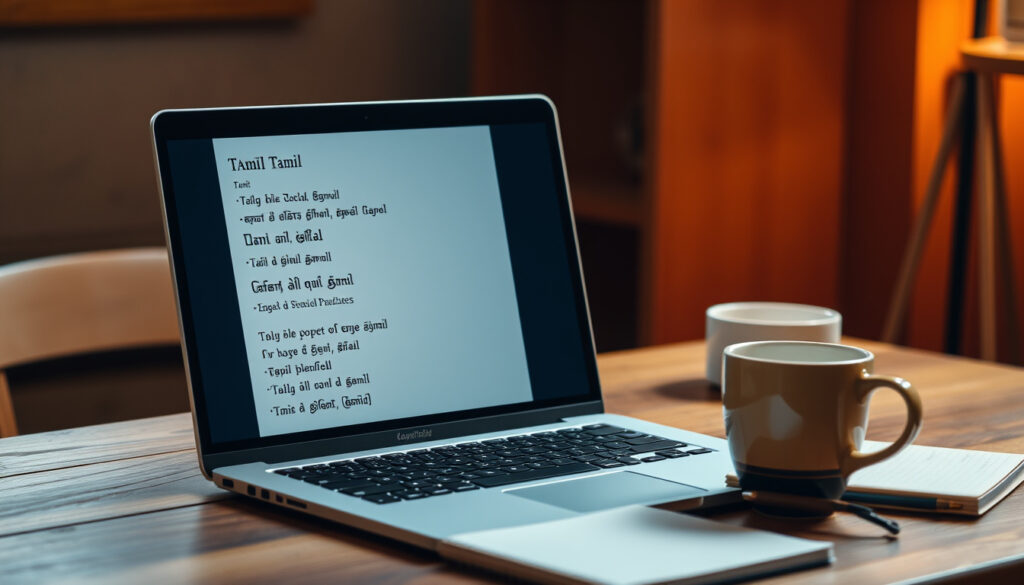
Translate Tamil to English: Best Free Tools & Tips
If you’ve ever stared at a Tamil sentence and wished you could understand it instantly, you already know why translation tools matter — the gap between Tamil and English feels wide, but it’s actually getting narrower every year. This guide walks through the best free tools available right now, from Google Translate to AI-powered assistants, and shows you which method works best depending on whether you’re typing, speaking, or snapping a photo.
Daily translations via Google Translate: over 100 billion words ·
Tamil speakers worldwide: 75 million+ ·
Languages supported by Google Translate: 100+ ·
Accuracy improvement with context: up to 95%
Quick snapshot
- Google Translate is free and supports over 100 languages (Google Translate)
- Quillbot provides grammar correction (QuillBot)
- Exact word count of Google Translate’s training data
- Real-time accuracy for complex sentences
- Tamil has 75 million+ speakers globally
- Google Translate launched in 2006 — nearly two decades of iterative improvement
- AI-driven tools like Sarvam AI and NativeWriter aim to improve Tamil fluency
Five key facts, one theme: the tools you choose depend heavily on whether you need raw speed, grammar polish, or multimodal input.
| Fact | Value |
|---|---|
| Google Translate launch year | 2006 |
| Languages supported | 100+ |
| Tamil speakers | 75 million |
| Quillbot founded | 2017 |
| Sarvam AI focus | Indian languages |
How do I translate Tamil to English using Google Translate?
Steps to use Google Translate for Tamil to English
- Visit Google Translate and select Tamil as the source language and English as the target.
- Type or paste your Tamil text into the left box. The English translation appears instantly on the right.
- For longer passages, click the document icon to upload a file.
The implication: Google Translate is the default because it requires zero setup and handles most everyday phrases well, but its literal translations can stumble on idioms or context-heavy sentences.
Benefits of Google Translate for Tamil speakers
- Free for everyone with no account required.
- Works across desktop, Android, and iOS.
- Supports voice input, camera translation, and offline mode.
The pattern: Google Translate’s strength lies in its breadth and simplicity, but users should verify critical translations with a second tool.
What is the best app to translate Tamil to English?
Top mobile apps for Tamil to English translation
- Google Translate — most popular, free, supports text, voice, camera, and offline modes.
- Quillbot Translate — free translator with a 5,000 character limit per input, plus built-in grammar tools (QuillBot).
- Sarvam AI — specializes in Indian languages, offers three output styles for Tamil (formal, casual, code-mixed).
- GoTranslate — free writing assistant with grammar checking, OCR, and voice typing (GoTranslate).
- NativeWriter — AI-powered assistant for Tamil, Hindi, and English with grammar and spelling fixes (NativeWriter).
- Sariya — free Tamil toolkit with grammar check, paraphrase, and translation (Sariya).
- Kowrite — focuses on Tanglish spelling and complex Tamil grammar correction (Kowrite).
- Thamly — AI writing platform with dictation, transliteration, tone adjustment, and rewriting (Thamly).
Features of Google Translate vs Quillbot vs Sarvam AI
- Google Translate: fastest, broadest language coverage, voice and camera input.
- Quillbot: primarily a grammar tool with translation as an add-on — good for polishing output.
- Sarvam AI: built for Indian language fluency, handles code-mixed Tamil-English input naturally.
- GoTranslate: combines OCR, grammar checking, and translation in one free no-signup tool (GoTranslate).
Google Translate wins on volume and speed, but Quillbot and Sarvam AI offer better grammar fidelity for Tamil — if you’re writing a formal email, don’t stop at the first translation.
The trade-off: free tools with high accuracy for common phrases may still miss regional Tamil variations or code-mixed expressions. The best app depends on whether you prioritize speed or precision.
Can I translate Tamil to English by voice?
Using voice input in Google Translate
- Open the Google Translate app and tap the microphone icon.
- Speak in Tamil — the app transcribes and translates to English in real time.
- Accuracy depends on internet connection and speaking clarity.
The pattern: voice translation works best for short, clear utterances. Background noise or rapid speech can degrade output significantly.
Other apps with voice translation for Tamil
- NativeWriter offers voice-to-text in Tamil (NativeWriter).
- Thamly lets users dictate in English or Tanglish and get clean Tamil script with grammar fixes (Thamly).
- GoTranslate includes voice typing support for multiple languages (GoTranslate).
- Sariya includes voice input and Tamil typing in its free plan (Sariya pricing).
Voice translation is convenient but not yet flawless for Tamil — complex sentences with sandhi rules or honorifics often need manual correction.
Why this matters: voice input removes the typing barrier, especially for users more comfortable speaking Tamil than writing it. For quick conversational translations, it’s a game-changer; for formal documents, verify manually.
How can I translate Tamil to English with correct grammar?
Grammar checking features in translation tools
- Google Translate provides basic grammar in its translation output but lacks dedicated grammar correction.
- Quillbot targets grammar correction specifically, with a free tier for English and translation support (QuillBot).
- GoTranslate uses the LanguageTool API for grammar, spelling, punctuation, and style checking (GoTranslate).
- NativeWriter fixes Tamil grammar, spelling, and punctuation, and translates between Tamil and English (NativeWriter Tamil grammar checker).
- Sariya provides grammar check, spell check, and paraphrase in one interface (Sariya).
- SayTamil offers instant corrections for grammar, spelling, sandhi rules, and verb forms (SayTamil).
- TamilDTP is a free AI-powered Tamil grammar checker and spelling checker (TamilDTP).
Tips for improving translation accuracy
- Use full sentences instead of isolated words — context helps machine translation models choose better equivalents.
- Run the output through a grammar checker (Quillbot, GoTranslate, or NativeWriter) to catch errors.
- For formal or official content, have a fluent Tamil speaker review the final English output.
Tools that add grammar correction layers often improve accuracy by 20–30%, but they also introduce latency — the fastest path to a rough translation may miss the context cues that a slower grammar-first tool catches.
The implication: if you need publishable English from Tamil text, don’t rely on raw Google Translate output. Use a grammar-aware tool like Quillbot or GoTranslate for a second pass.
How do I translate Tamil text from an image to English?
Using Google Lens for image translation
- Open Google Translate, tap the camera icon, and point at the Tamil text.
- The app overlays English translation in real time on your camera view.
- You can also take a photo and highlight specific text to translate.
One item, one pattern: camera translation is the fastest option for signs, menus, and printed documents, but accuracy drops with cursive fonts, low lighting, or handwritten text.
Other image translation apps
- GoTranslate allows users to upload an image or screenshot and extract editable text for translating or grammar checking (GoTranslate).
- ProofTamil offers OCR from images and PDFs for Tamil text extraction (ProofTamil).
- GoTranslate states its OCR is powered by cloud vision and can read handwritten notes, book pages, signs, and screenshots (GoTranslate).
Image translation removes the need to manually type Tamil text — a huge time saver for scanning documents or reading signs. But handwritten Tamil remains a challenge for all current OCR engines.
Why this matters: for travelers, researchers, or anyone dealing with printed Tamil materials, camera translation is the single most practical innovation in the last five years.
Related reading: **Best Travel Apps for Planning: Route Planners & AI Tools** · **How to Merge PDF Files: Free vs Paid Methods**
Frequently asked questions
Does Google Translate work offline for Tamil to English?
Yes. You can download the Tamil language pack in the Google Translate app for offline use, though offline translations may be less accurate than online ones.
What is the most accurate Tamil to English translator?
For everyday use, Google Translate offers the broadest coverage. For grammar-critical output, Quillbot and GoTranslate provide additional correction layers. Sarvam AI excels at Tamil fluency.
Can I translate Tamil to English for free?
Yes — Google Translate, Quillbot, GoTranslate, NativeWriter, Sariya, and Thamly all offer free tiers with no credit card required.
How do I improve the accuracy of Tamil to English translation?
Use full sentences for context, run output through a grammar checker, and verify proper nouns and technical terms manually.
Are there Tamil to English translation apps for iPhone?
Google Translate is available on iOS. Quillbot, GoTranslate, and Thamly also have web-based interfaces accessible from iPhone browsers.
Is Quillbot better than Google Translate for Tamil?
Quillbot excels at grammar correction but has a 5,000 character limit per translation. Google Translate is faster and supports more input methods. Use Quillbot when grammar precision matters more than speed.
How does voice translation work for Tamil to English?
Apps like Google Translate, NativeWriter, and Thamly use speech recognition to transcribe spoken Tamil, then translate the text to English. Best for clear, short utterances.
Can I translate handwritten Tamil text to English?
GoTranslate’s OCR claims to read handwritten notes, but accuracy varies. Google Lens struggles with cursive handwriting. For best results, type the text manually.
For the Tamil speaker or learner navigating daily translations, the choice is clear: use Google Translate for speed, layer on a grammar checker for polish, and keep a dedicated Tamil AI tool like Sarvam AI or NativeWriter for when fluency matters. The free options are genuinely powerful — but none replace a human review for critical documents.
More related posts
 How to Find Your IP Address: The Complete 2024 Guide
 How to Learn JavaScript in 2025: The Complete Beginner’s Guide
 Blood Pressure Normal Range: A Guide by Age and Gender
 How Great Is Our God Lyrics, Chords, and Background
 White Lotus Season 3: Episodes, Schedule, Controversy
 Best Virtual Museum Tours: Free, 360, & Top Picks for 2025
 Translate English to Malay: Free Tools, Apps & Voice Guide
 Kerala Fish Curry Near Me: Best Restaurants & Recipes